Over-engineered (?) nixos blog deployment setup
August 11, 2025
As is traditional with people hosting their own blog I’m going to do a post detailing EXACTLY how I’m hosting my blog. Down to the last dirty detail. I have nothing better to talk about.
Here is a diagram I edited to illustrate (credit to xkcd I think?).
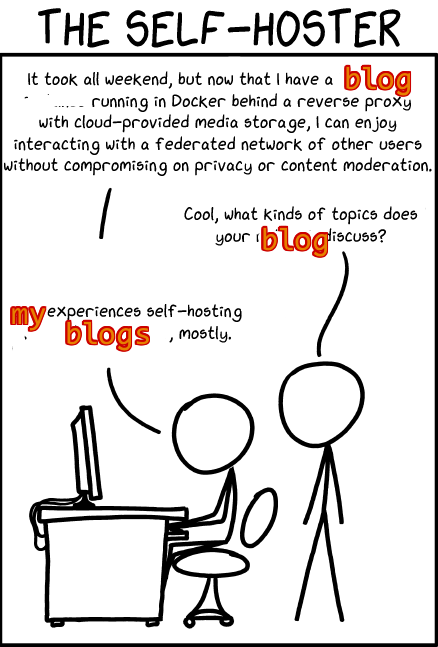
I host my site on a hetzner vps running nixos. I also have a git repo where all the static files for my blog live. I had previously been manually rsyncing the website up to my vps from my laptop. Qute an easy, efficient solution; it worked well. But not very nixos; far too simple, not sufficiently over-engineered. So in true nixos fashion I decided I’d spend a couple of hours sorting the problem so I’d maybe save a minute once a year when I write a blog post.
Remote Rebuilds
First, I’ll show the fancy way to rebuild your remote nixos systems via ssh. In my case, this means I can rebuild my hetzner box from my laptop. You can read the wiki about it here.
This sets up ssh with key-based authentication and lets our local user in. This config belongs on the remote machine.
users.users.blog-king.openssh.authorizedKeys.keys = [
  # ssh public key on computer you're deploying from
  "ssh-ed25519 AAAAC3NzaC1lZDI1NTE5AAAAIPzFa1hmmmmmPL5HvJZhXVEaWiZIMi34oR6AOcaaaaaaa"
];

nix.settings.trusted-users = [ "blog-king" ];

# ssh daemon
services.openssh = {
  enable = true;
  openFirewall = true;
  settings = {
    PasswordAuthentication = false;
    PermitRootLogin = "no";
  };
};
Once you have this going on your remote machine (in my case the hetzner vps) you should be able to rebuild the remote machine with nixos-rebuild --target-host blog-king@remote-ip-here --ask-sudo-password switch.
The --ask-sudo-password is not required if you ssh in as root though that would be a touch gauche.
Caddy
You can do this with whatever your preferred webserver is.
I am a caddy stan.
This opens the necessary ports in the firewall and sets up caddy in file server mode pointing at /etc/blog.
networking.firewall.allowedTCPPorts = [
  80
  443
];

services.caddy = {
  enable = true;
  extraConfig = ''
    blog.example.org {
      root * /etc/blog
      file_server
    }
  '';
};
Getting the files from git
We have a web server pointing at /etc/blog.
The last piece of the puzzle is to get the static files from our git repo and spit them out in that directory.
I’m using the fetchFromGitea helper here which works for gitea and forgejo instances.
The fetchFromGitHub helper would look very similar.
You can get the rev and sha256 of the commit using nix-prefetch-git.
Also note the little /public at the end of the source string.
That’s the directory of the git repo that the website source lives.
environment.etc."blog" = {
  enable = true;
  target = "blog";
  source = "${
    pkgs.fetchFromGitea {
      domain = "git.example.org";
      owner = "james";
      repo = "blog";
      rev = "32d81f01388c88a259eed2ba52f4545dbcb1eb07";
      sha256 = "173g99dj8y4sw1v7f1s5f7zgcrrlr6dly9n6ysr2i4jg095lkxw8";
    }
  }/public";
  user = "caddy";
  group = "caddy";
};
So now with all that setup the blog post work flow is:
- Commit rebuilt website to repo
- Update the
revandsha256to the new commit (this is annoying and I’m trying to work out a good way to automate it) - Rebuild vps from laptop
Not necessarily faster than the old rsync method but it’s pretty damn declarative, that’s for sure.