Lowkey emacs setup bits and bobs
November 18, 2022
About a month ago I was a little bored and thought I’d give emacs a go. There’s something fun about trying out these mythical pieces of software that have been around forever; kind of like watching The Godfather for the first time. Like many extensible, super configurable programs, emacs seems kind of impenetrable at first glance. I tried doing the tutorial but kind of glazed over after a while with the endless stream of C-a C-b C-c. There’s also the quite jarring default theme which wasn’t vibing with the lovely screenshots I had seen on the internet. Anyway, after quite a bit of fiddling I’ve landed on a simple little setup that I’ve been quite enjoying. Here are a few little pointers to hopefully ease you in.
AESTHETIC NICETIES
First things first, assuming you’re on linux emacs is configured with a file at ~/.emacs.d/init.el. As a terrible aesthete, the first thing I was worried about was changing the theme. This can be achieved with M-x load-theme; if you want the setting to persist though you can add this to you init.el:
(load-theme 'misterioso t)
There are a few themes out of the box but if you’re looking for some more I would recomment the doom-themes package. Speaking of packages, emacs has a built in package-manager that installs packages from the Emacs Lisp Package Archive (GNU ELPA); I unfortunately know very little about this as I’ve been using nix to manage my emacs packages.
Anyway we’ve got a theme, how about a custom startup message for our initial buffer:
(setq inhibit-startup-message t
      inhibit-startup-echo-area-message t
      initial-scratch-message
      ";;oh how i adore to edit text with emacs!")
Maybe you dont want those big old cumbersome toolbars cluttering up your screen:
(scroll-bar-mode -1)
(tool-bar-mode -1)
(menu-bar-mode -1)
Perhaps some line highlighting and numbering:
;;line numbering
(global-display-line-numbers-mode)
(setq display-line-numbers-type 'relative)

;;line higlight
(global-hl-line-mode t)
Custom font?
(setq default-frame-alist '((font . "agave Nerd Font 14")))
CUSTOM KEYBINDINGS AND EVIL
I don’t know if it’s just sunk cost fallacy or what but having gone to the trouble of learning to some extent how vim works, I kind of feel incomplete without vim keybindings now. Fortunately, emacs has evil mode which effectively emulates vim modal editing in emacs. To configure evil in our init.el we’ll use use-package. This is a macro which - to my understanding - talks to your package manager allowing you to configure installed packages in a nice neat efficient manner. To enable it, add this to your init.el:
(eval-when-compile
  (require 'use-package))
These are the keybindings that I currently have going; nothing too crazy just a few simple things:
(use-package evil
  :config
  (evil-mode 1)
  (evil-select-search-module 'evil-search-module 'evil-search)

  ;;manage panes
  (define-key evil-normal-state-map (kbd "M-s") 'evil-window-split)
  (define-key evil-normal-state-map (kbd "M-v") 'evil-window-vsplit)

  (define-key evil-normal-state-map (kbd "M-h") 'evil-window-left)
  (define-key evil-normal-state-map (kbd "M-j") 'evil-window-down)
  (define-key evil-normal-state-map (kbd "M-k") 'evil-window-up)
  (define-key evil-normal-state-map (kbd "M-l") 'evil-window-right)

  ;;get files open quick
  (define-key evil-normal-state-map (kbd "M-f") 'find-file)
  (define-key evil-normal-state-map (kbd "M-b") 'dired-jump)

  ;;terminal
  (define-key evil-normal-state-map (kbd "M-t") 'ansi-term)

  ;;nav buffers
  (define-key evil-normal-state-map (kbd "M-,") (kbd "C-x <left>"))
  (define-key evil-normal-state-map (kbd "M-.") (kbd "C-x <right>"))
  )
SOME FRIEDNLY IDE FEATURES YOU MAY LIKE
I don’t know about you but having used vscode here and there I’ve become accustomed to a lot of these little IDE crutches (completion, autopair and the like) and now when I don’t have thme I feel a little sad. Emacs has it covered though as long as you’re happy with installing some additional stuff. Auto-completion? Try company:
;; enable company in all buffers
(add-hook 'after-init-hook 'global-company-mode)
(use-package company
  :commands company-tng-configure-default
  :custom
  ;; delay to start completion
  (company-idle-delay 0)
  ;; nb of chars before triggering completion
  (company-minimum-prefix-length 1)
You want the nice little autopair brackets?
(use-package flex-autopair
  :config
  (flex-autopair-mode 1))
Clever commenting?
(use-package smart-comment
  :bind ("M-c" . smart-comment))
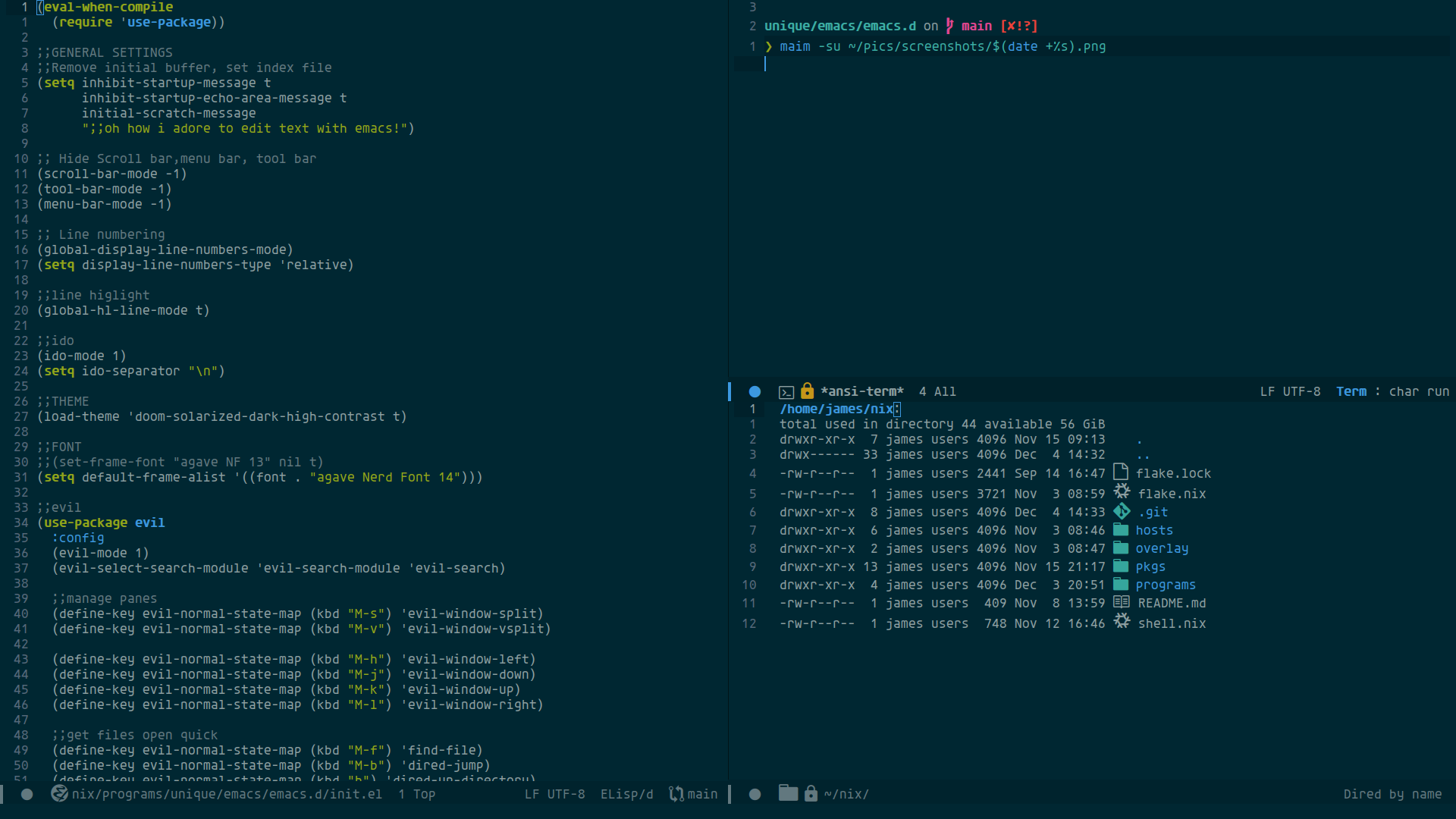
Here’s a little pic of the current setup :)